

SaaS integration connects different software applications to work together. It automates tasks and improves efficiency.
In today’s digital world, businesses use many software tools. These tools help with various tasks, from managing emails to tracking sales. But sometimes, these tools don’t “talk” to each other. This is where SaaS integration comes in. It links these different software systems, allowing them to share information seamlessly.
Imagine not having to manually enter data from one app to another. SaaS integration makes this possible. By connecting your tools, you save time and reduce errors. This post will explore what SaaS integration is and explain how it works, making your software more powerful and efficient.

Credit: www.codelessplatforms.pl
Introduction To Saas Integration
In today’s digital world, many businesses use multiple software tools. These tools help in various functions. But managing them separately can be tough. This is where SaaS Integration comes in. It connects different software tools. This makes them work together smoothly.
Definition Of Saas Integration
SaaS Integration stands for Software as a Service Integration. It involves linking different SaaS applications. This allows data to flow between them seamlessly. For example, connecting your CRM software with your email marketing tool. This ensures that your contact lists are always up-to-date.
Importance Of Saas Integration
Why is SaaS Integration important? Here are some reasons:
- Increased Efficiency: It saves time and reduces errors. No need for manual data entry.
- Better Data Accuracy: Data is consistent across all tools. This ensures you have accurate information.
- Improved Collaboration: Teams can work better together. Everyone has access to the same data.
| Benefit | Description |
|---|---|
| Efficiency | Saves time and reduces errors. |
| Data Accuracy | Ensures consistent and accurate data. |
| Collaboration | Improves teamwork with shared data access. |
Key Benefits Of Saas Integration
Integrating Software as a Service (SaaS) can bring many benefits to businesses. By connecting different SaaS applications, companies can streamline their operations. This integration helps in reducing manual tasks, saving money, and improving overall efficiency.
Enhanced Efficiency
SaaS integration boosts productivity by automating workflows. Employees spend less time on repetitive tasks. They can focus on more important work. Information flows seamlessly between different applications. This reduces errors and speeds up processes. Companies can respond faster to changes in the market.
Cost Savings
Integrating SaaS solutions can save money. It reduces the need for expensive hardware and software. Companies also spend less on IT maintenance. SaaS providers handle updates and security. This reduces the burden on in-house teams. Businesses can invest these savings into other areas for growth.
Common Use Cases
Understanding the common use cases of SaaS integration is essential. It helps businesses streamline operations, improve efficiency, and enhance customer experience. By integrating various SaaS applications, companies can automate workflows, centralize data, and gain valuable insights. Below, we explore some common use cases of SaaS integration.
Marketing Automation
Marketing automation involves using software to automate repetitive marketing tasks. Integrating SaaS tools can help manage campaigns, track engagement, and nurture leads more effectively. Here are some key benefits:
- Automated email marketing campaigns
- Lead scoring and nurturing
- Personalized customer journeys
For example, integrating your CRM with an email marketing platform like Mailchimp can automatically update customer lists. This ensures your marketing efforts are always targeting the right audience.
Customer Relationship Management
Customer Relationship Management (CRM) tools are vital for managing customer interactions and data. Integrating your CRM with other SaaS applications can streamline processes and improve customer service. Key integrations include:
- Syncing customer data with support tools
- Automating follow-ups and reminders
- Centralizing communication channels
For instance, integrating Salesforce with a customer support platform like Zendesk allows for seamless ticket management. This ensures that your support team has all the necessary information to resolve issues quickly.
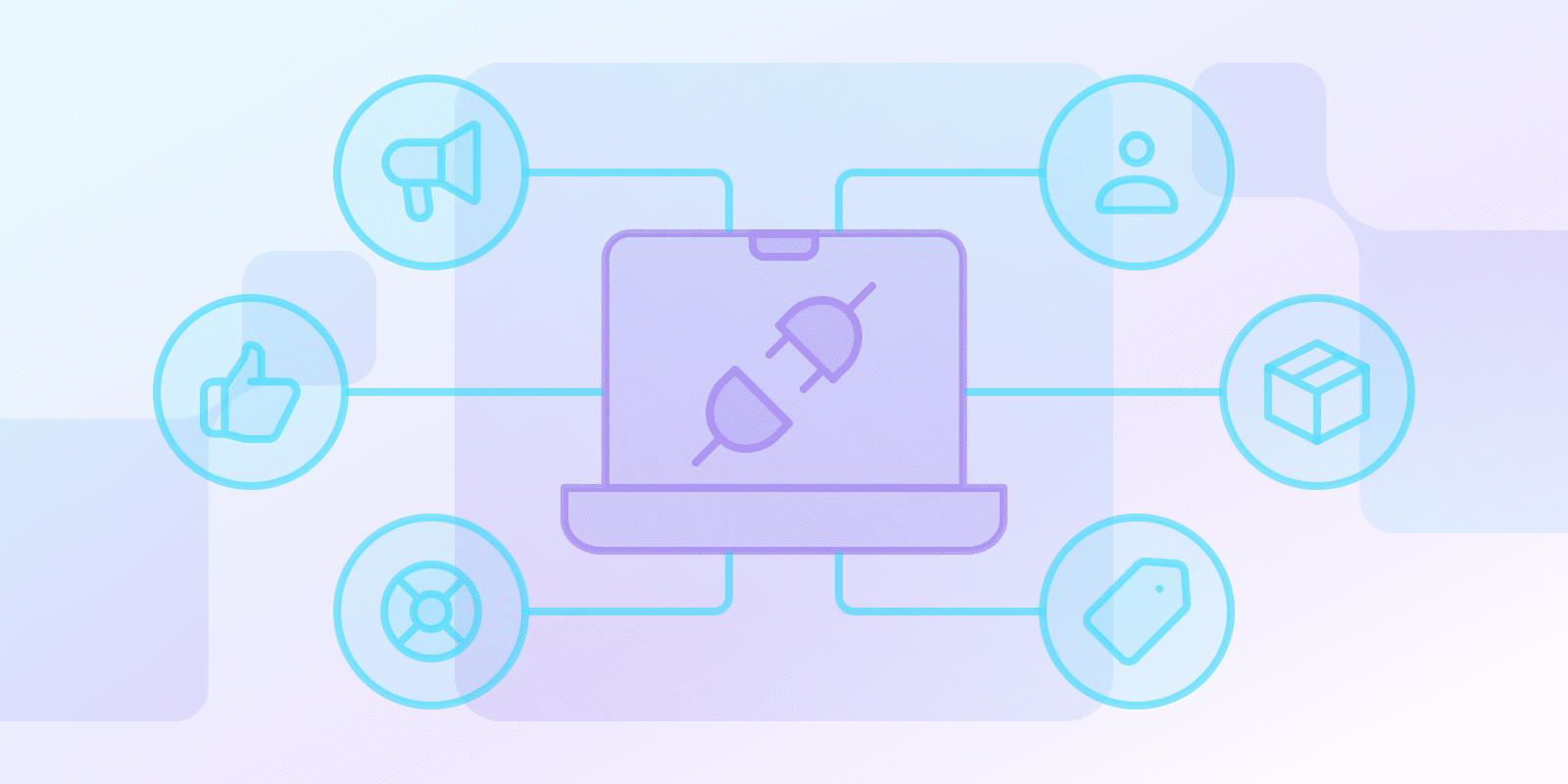
By understanding these common use cases, businesses can leverage SaaS integrations to enhance their operations and customer relations effectively.
Credit: payproglobal.com
How Saas Integration Works
Understanding how SaaS integration works can simplify your business processes. This involves connecting various software applications to work together. The goal is to streamline workflows and improve efficiency. Let’s explore this in more detail.
Apis And Connectors
APIs, or Application Programming Interfaces, are essential in SaaS integration. They allow different software applications to communicate. APIs act like bridges, enabling data transfer between systems.
Connectors are pre-built tools that help integrate specific applications. They simplify the process by eliminating the need for custom coding. For example, a connector might link your CRM with your email marketing software. This helps in automating the data flow between the two systems.
Both APIs and connectors are crucial for seamless integration. They ensure that data is consistently and accurately shared across platforms.
Middleware Solutions
Middleware solutions are another key component of SaaS integration. They act as intermediaries between different applications. Middleware manages the data exchange and ensures compatibility.
These solutions can handle complex integrations. They offer features like data transformation, error handling, and real-time processing. This makes them ideal for businesses with intricate workflows.
Middleware solutions also provide a centralized platform for managing integrations. This simplifies monitoring and troubleshooting, making your systems more reliable.
| Component | Function |
|---|---|
| APIs | Enable communication between software applications |
| Connectors | Pre-built tools for specific application integration |
| Middleware Solutions | Act as intermediaries for data exchange and compatibility |
Understanding these components is vital for successful SaaS integration. By leveraging APIs, connectors, and middleware solutions, you can create a cohesive and efficient system.
Types Of Saas Integrations
Understanding the types of SaaS integrations is crucial for seamless business operations. SaaS integrations help businesses to connect different software applications. They enhance data flow and streamline processes. Below are the main types of SaaS integrations.
Data Integration
Data integration involves combining data from different sources into a single, unified view. This type helps businesses manage data more efficiently. It ensures that data across different platforms is consistent and up-to-date.
For example, data from your CRM and ERP systems can be integrated. This provides a comprehensive view of customer interactions and financial data. It helps in making informed decisions based on real-time information.
| Source | Type of Data |
|---|---|
| CRM | Customer Information |
| ERP | Financial Data |
Process Integration
Process integration focuses on automating workflows between different applications. It helps in streamlining business processes. This reduces manual effort and increases efficiency.
For example, an e-commerce platform and an inventory management system can be integrated. When an order is placed, the inventory updates automatically. This ensures that stock levels are accurate without manual updates.
- Reduces manual errors
- Enhances efficiency
- Automates workflows
Process integration is vital for maintaining operational efficiency. It ensures that all systems work together seamlessly.
Challenges In Saas Integration
SaaS integration can enhance your business operations. But, it can also present several challenges. Understanding these challenges is crucial for a smooth integration process.
Data Security Concerns
One of the biggest concerns is data security. When integrating different SaaS applications, sensitive data might be at risk. Data breaches can occur during data transfer between applications.
To mitigate risks, ensure all SaaS providers comply with industry standards. Use encryption and secure APIs. Regularly update security protocols and conduct audits to maintain data integrity.
Compatibility Issues
Compatibility is another common challenge. Not all SaaS applications are designed to work together seamlessly. This can result in data inconsistencies and workflow disruptions.
| Compatibility Issue | Solution |
|---|---|
| Data Format Differences | Use data transformation tools to standardize data. |
| API Limitations | Work with vendors to develop custom API solutions. |
To address compatibility issues, thoroughly evaluate SaaS solutions before integration. Ensure they support standard protocols and data formats. This helps in minimizing potential disruptions and ensures smooth operations.
Best Practices For Successful Integration
Integrating SaaS applications can streamline operations and boost efficiency. Successful integration requires a well-thought-out plan and the right tools. Here are the best practices for successful SaaS integration.
Planning And Strategy
Before starting, create a detailed plan. Identify your goals and needs. Understand what you want to achieve with the integration. This helps in setting clear objectives.
Make a list of all the applications you use. Check how they interact with each other. This helps in identifying potential integration points. Also, consider the data flow between applications. Ensure data moves smoothly without any loss or duplication.
Next, create a timeline. Break down the integration process into smaller tasks. Assign deadlines to each task. This helps in tracking progress and staying on schedule.
Finally, involve all stakeholders. Make sure everyone understands the plan. Get their input and address any concerns. This ensures a smooth integration process.
Choosing The Right Tools
Selecting the right tools is crucial. There are many tools available for SaaS integration. Choose tools that fit your needs and budget.
Look for tools that offer pre-built connectors. These connectors simplify the integration process. They connect your applications quickly and easily. Also, consider tools that support custom integrations. This gives you the flexibility to create tailored solutions.
Check the scalability of the tools. Ensure they can handle your current and future needs. Also, look for tools with good customer support. This helps in resolving any issues quickly.
Evaluate the security features of the tools. Data security is critical in SaaS integration. Make sure the tools comply with industry standards and regulations.
Finally, test the tools before implementation. Conduct a pilot test to see how they work. This helps in identifying any potential issues before full deployment.
| Best Practices | Description |
|---|---|
| Planning and Strategy | Create a detailed plan, set objectives, and involve stakeholders. |
| Choosing the Right Tools | Select tools that fit your needs, offer pre-built connectors, and ensure data security. |
Future Trends In Saas Integration
The landscape of SaaS integration is evolving rapidly. Businesses seek more efficient ways to connect their software. Emerging trends are reshaping how we integrate SaaS solutions. Let’s explore two key trends shaping this future.
Ai And Machine Learning
AI and Machine Learning are transforming SaaS integration. These technologies can predict and automate tasks. They streamline workflows and reduce manual effort. AI can identify patterns and suggest improvements. Machine Learning adapts to user behavior, enhancing efficiency. These advancements make integrations smarter and faster.
Increased Automation
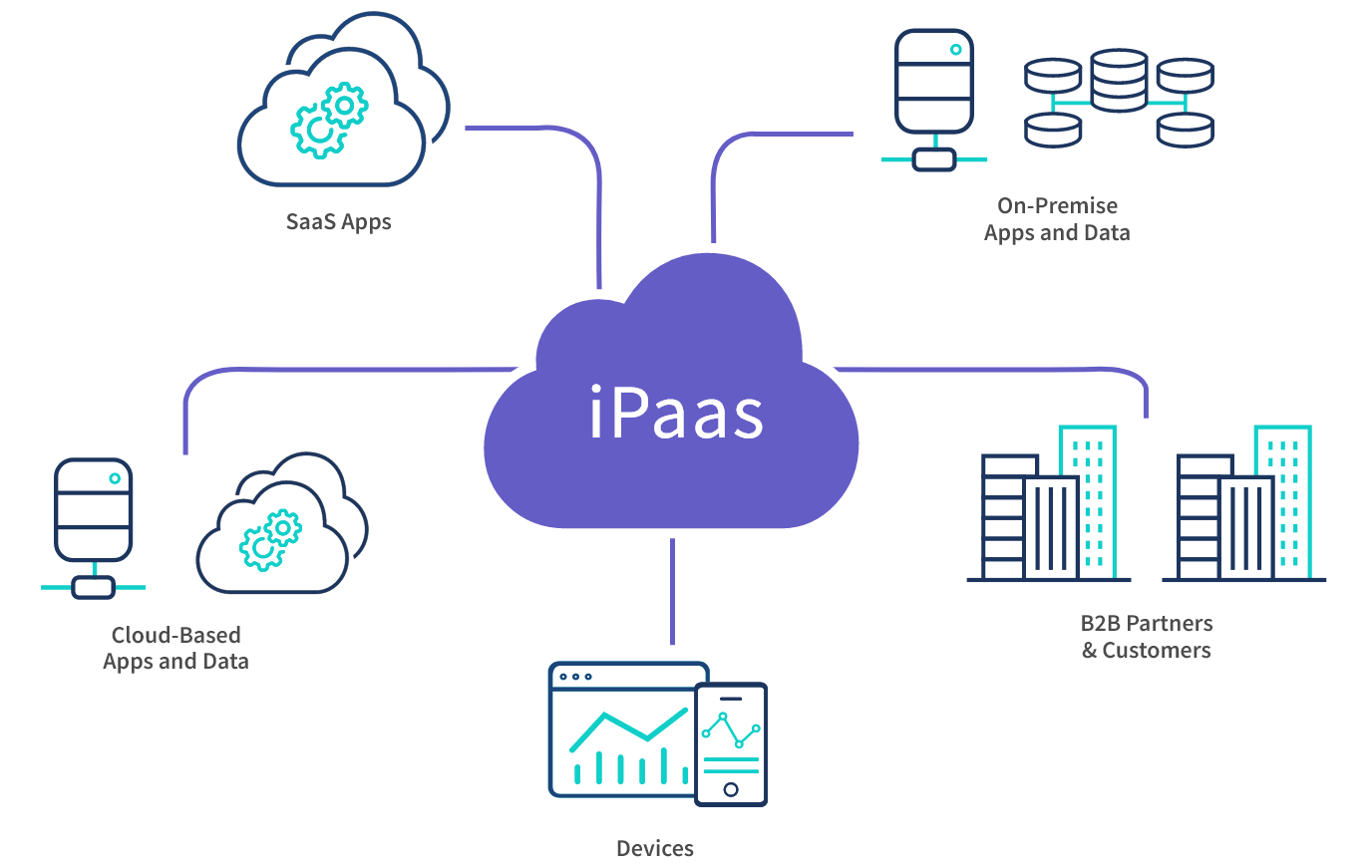
Automation is becoming more prevalent in SaaS integration. Automated processes reduce human error. They ensure consistency and save time. More businesses are adopting automation tools. These tools simplify complex integrations. They allow seamless data flow between different systems. Increased automation supports business growth and agility.
Credit: exalate.com
Frequently Asked Questions
What Is Saas Integration?
SaaS Integration connects various software-as-a-service (SaaS) applications to work seamlessly together. It helps in data sharing and streamlining processes. This integration enhances efficiency and productivity by automating workflows between different SaaS tools.
How Does Saas Integration Work?
SaaS Integration works by using APIs to connect different SaaS applications. These APIs allow data to flow between systems. Integration platforms or middleware can also facilitate the process, ensuring smooth communication and data synchronization.
Why Is Saas Integration Important?
SaaS Integration is important because it improves efficiency and reduces manual work. It ensures that data is consistent across all platforms. This integration helps businesses save time and money by automating processes and enhancing collaboration.
What Are The Benefits Of Saas Integration?
The benefits of SaaS Integration include improved efficiency, better data accuracy, and enhanced collaboration. It also reduces manual data entry and streamlines workflows. Overall, it helps businesses operate more effectively and make better-informed decisions.
Conclusion
SaaS integration simplifies business processes. It connects different software seamlessly. This improves efficiency and saves time. Understanding how it works helps your business grow. Think of it as a bridge between applications. It ensures data flows smoothly. With SaaS integration, you streamline tasks.
Your team works smarter, not harder. Explore integration options. Find what fits your needs best. Make the most of your software tools. Keep your business ahead. Stay connected, stay efficient.
{ “@context”: “https://schema.org”, “@type”: “FAQPage”, “mainEntity”: [ { “@type”: “Question”, “name”: “What is SaaS Integration?”, “acceptedAnswer”: { “@type”: “Answer”, “text”: “SaaS Integration connects various software-as-a-service (SaaS) applications to work seamlessly together. It helps in data sharing and streamlining processes. This integration enhances efficiency and productivity by automating workflows between different SaaS tools.” } } , { “@type”: “Question”, “name”: “How does SaaS Integration work?”, “acceptedAnswer”: { “@type”: “Answer”, “text”: “SaaS Integration works by using APIs to connect different SaaS applications. These APIs allow data to flow between systems. Integration platforms or middleware can also facilitate the process, ensuring smooth communication and data synchronization.” } } , { “@type”: “Question”, “name”: “Why is SaaS Integration important?”, “acceptedAnswer”: { “@type”: “Answer”, “text”: “SaaS Integration is important because it improves efficiency and reduces manual work. It ensures that data is consistent across all platforms. This integration helps businesses save time and money by automating processes and enhancing collaboration.” } } , { “@type”: “Question”, “name”: “What are the benefits of SaaS Integration?”, “acceptedAnswer”: { “@type”: “Answer”, “text”: “The benefits of SaaS Integration include improved efficiency, better data accuracy, and enhanced collaboration. It also reduces manual data entry and streamlines workflows. Overall, it helps businesses operate more effectively and make better-informed decisions.” } } ] }

